Today’s resource is a set of more than 100 glyph icons, in Retina format (32px).
[notification type=”information”]Licence: free for personal and commercial projects[/notification]
[button color=”green” link=””]Get the Broccoli icon pack[/button]
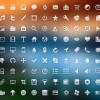
Today’s resource is a set of more than 100 glyph icons, in Retina format (32px).
[notification type=”information”]Licence: free for personal and commercial projects[/notification]
[button color=”green” link=””]Get the Broccoli icon pack[/button]
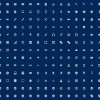
Today’s resource comes from Yannick Lung, a young German designer. The set contains (at this moment) over 230 icons and it is continuously updated, so stay tuned for more items.
[notification type=”information”]Licence: free for personal and commercial projects[/notification]
[button color=”green” link=”http://www.yanlu.de/Yanlu/Freecns.html”]Get the Freecns icon pack[/button]
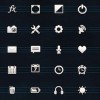
Secret Pixels offers a nice set of 50 vector glyph icons. All you have to do to receive the source file is to pay with a tweet.
[notification type=”information”]Licence: free for personal and commercial projects[/notification]
[button color=”green” link=”http://freebie.secretpixels.com/icon/”]Get the Secret Pixels icon set[/button]
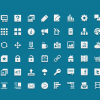
Jigsoar Icons is a custom designed icon set, with 60 shapes, perfect for web use. The package has the icons in several premade formats (transparent PNG at 16px, 24px, 32px, 64px) as well as an Illustrator file with the source vector shapes.
[notification type=”information”]Licence: free for personal and commercial projects[/notification]
[button color=”green” link=”http://www.jigsoaricons.com/”]Get the Jigsoar Icons pack[/button]
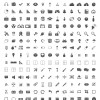
Today’s resource is a set of 350 pixel perfect glyphs icons, perfect for apps, websites or just about anything you can think of. The source file is in vector format, allowing you to resize the icons to the size you need.
[notification type=”information”]Licence: free for personal and commercial projects[/notification]
[button color=”green” link=”http://www.brankic1979.com/icons/”]Get the 350 Pixel Perfect icons pack[/button]
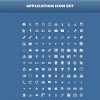
This set contains 120 pixel perfect icons, in three sizes (16, 32 and 64px). It also includes a PSD file with the vector format as well as a CSH file allowing you to use them as custom shapes inside Photoshop.
[notification type=”information”]Licence: free for personal and commercial projects, if proper attribution is provided.[/notification]
[button color=”green” link=”http://tympanus.net/codrops/2012/10/02/freebie-application-icon-set-png-psd-csh/”]Get the Application icon set[/button]
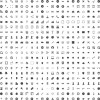
Pyconic is an innovative icon foundry by Italian web designer Allesio Atzeni. The offer includes several hundred icons, available in various formats: PNG (from 16x16px to 512x512px), vector and icon font. Everything is available in several bundles, tailored for any need and budget. There is even a FREE bundle of 400 icons, in PNG format at 32px that you can use in persona or commercial products as long as there is a link credit somewhere visible (like the footer of your website).
[notification type=”information”]Licence: free for personal and commercial projects[/notification]
[button color=”green” link=”http://www.pyconic.com/pyconic-icons-free/”]Get the Pyconic free icon pack[/button]
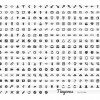
Tinycons is a set of 310 carefully crafted icons in vector format. The entire set can be purchased for a price between 9.99 and 12.99 GBP and a small subset of 40 icons can be downloaded for free.
[notification type=”information”]Licence: royalty free – can be used for personal and commercial projects[/notification]
[button color=”green” link=”http://vicbell.co.uk/shop/tinycons/”]Get the Tynicons icon pack[/button]
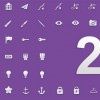
Inventicons.com is an icon foundry, offering over 1500 royalty-free vector icons for graphic designers and design enthusiasts. All icons are hand-crafted, with great detail and unlimited scalable.
The complete set is vectorized, built with Adobe Illustrator and scalable to any desired size. It is very simple to change the color, orientation or shape and the quality is perfect at any size.
The set can be purchased as a whole or in bundles of 1000 or 500 icons. There is also a small bundle of 200 icons that can be downloaded for free.
[notification type=”information”]Prices:
[/notification]
[button color=”green” link=”http://inventicons.com/”]Get the Inventicons icon pack[/button]
Preview of the entire set:

Dave Gandy began Font Awesome as a project to provide extra icon fonts for the well known framework of Twitter Bootstrap. Version 2.0 offers over 220 icons that can be infinitely scaled due to their native vector format. As with all icon fonts, one can change the icon color at will and apply all font and text CSS properties.
Font Awesome can be also used outside of Bootstrap – the creators included a stylesheet (in both CSS and LESS format) so that anyone can enjoy this font. A recent addition is a WordPress plugin format, created by Rachel Backer, that allows smooth integration with the most popular blogging engine in the world.
[notification type=”information”]Licence:
The Font Awesome webfont, CSS, and LESS files are licensed under CC BY 3.0. A mention of
Font Awesome - http://fortawesome.github.com/Font-Awesomein human-readable source code is considered acceptable attribution (most common on the web). If human readable source code is not available to the end user, a mention in an ‘About’ or ‘Credits’ screen is considered acceptable (most common in desktop or mobile software).[/notification]
[button color=”green” link=”http://fortawesome.github.com/Font-Awesome/”]Get Font Awesome for Bootstrap[/button] [button color=”green” link=”https://github.com/rachelbaker/Font-Awesome-WordPress-Plugin”]Get Font Awesome for WordPress[/button]