Tag: progress bar

  • Twitter Bootstrap – Complete Responsive Front End Framework

    Twitter Bootstrap – Complete Responsive Front End Framework

    What started as an internal projects from two Twitter employees, it evolved to a complete framework used by countless designers and developers all over the world. Currently at version 2.3.2 and with a brand new refactoring coming up with version 3.0, Bootstrap has everything one needs to put together a functional website in no time.

    The entire structure is based on several interlocked modules:

    • a grid system (available in both fixed and fluid flavors), that degrades responsively for devices like tablets and smartphones, allowing ones website to be viewed by an even broader range of visitors. 
    • a basic CSS module, outlining standard typography, the display of list, tables, form elements and images, not to mention the included set of glyph icons.
    • a set of complex interface components, like navbars, dropdowns, menus, progress bars and many others, powered by a jQuery-based library, easy to deploy, use and modify as needed.

    Everything is very easy to customize right before downloading the framework, via the customization page. Here one can modify all possible parameters, like size of the grid system, colors and fonts, together with many other variables. Another alternatives would be to download a ready-made theme from one of the many websites (such as Bootswatch).

    Everything is backed up by a comprehensive and easy to use documentation. And if something is missing, there are so many tutorials, as well as a large community of users that can help you whenever you get stuck.

    [notification type=”information”]Licence: Apache License v2.0[/notification]


    [button color=”green” link=”http://www.getbootstrap.com/“]Start developing with Twitter Bootstrap[/button]
  • Apollo UI Pack

    Apollo UI Pack

    There are times when you have to be completely original. There are also times when speed and quality are more important. In such cases a high quality UI pack can make the difference and save you a lot of trouble. Apollo is one such UI pack, with over 1000 elements. It has multiple variants for common interface elements, font components, textures, icons and it has 30 color variants built in for quick complete changes. Plus, you can modify the PSD files yourself and create a custom UI exactly as you need it, without having to reinvent the wheel along the way.

    The pack is made of several modules. The first module can be downloaded and used for free (and it should be enough for most small to medium projects). For the full set you only have to pay a small price of $18 or to become a Design Shock club member (that also gives you access to all the other resources they are offering).

    [notification type=”information”]Licence and price:

    • Part 1 – FREE for personal and commercial projects
    • Whole set – $18[/notification]


    [button color=”green” link=”http://www.designshock.com/apollo-psd-gui/”]Get the Apollo UI pack[/button]

  • Cloudy UI Kit

    Cloudy UI Kit

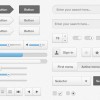
    365PSD offers this free silver UI kit with dark grey and sky blue accents.

    [notification type=”information”]Licence: free for personal and commercial projects[/notification]


    [button color=”green” link=”http://365psd.com/day/2-186/”]Get the Cloudy UI Kit[/button]

  • Mega Dark UI Pack

    Mega Dark UI Pack

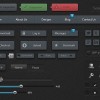
    This resource comes again from 365PSD and includes a large set of UI elements in gunmetal grey.

    [notification type=”information”]Licence: free for personal and commercial projects[/notification]


    [button color=”green” link=”http://365psd.com/day/3-30/”]Get the Mega Dark UI Pack[/button]